
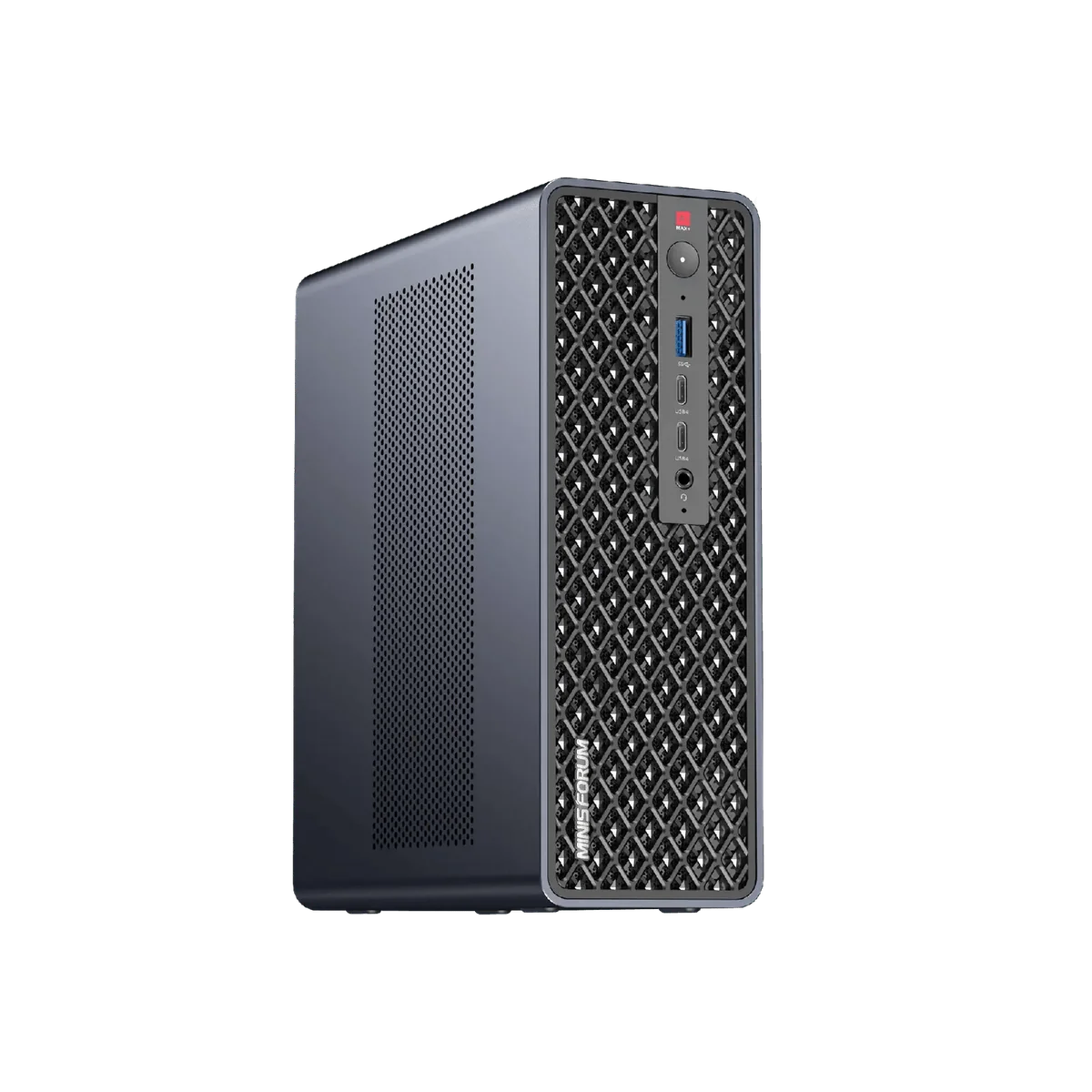
What it is
The Minisforum MS-S1 Max is a 3.5-liter Strix Halo mini workstation: AMD’s Ryzen AI Max+ 395 (16 Zen 5 cores, 32 threads), the 40-CU Radeon 8060S, and up to 128 GB of LPDDR5X-8000 on a 256-bit bus that CPU and GPU share. Around that core Minisforum bolts on dual 10GbE, two USB4 V2 ports at 80 Gbps, a full-length PCIe x16 slot, and a 320 W power supply inside the chassis. On the spec sheet it is the most complete Ryzen AI Max mini PC on sale; ServeTheHome called it their favorite of the platform.
We run one. The site owner’s production MS-S1 Max sits on Ubuntu 24.04 serving local inference, so this review draws on that unit plus three independent labs. The hardware is real. So is the company behind it.
What the MS-S1 Max is good for (on paper)
Local LLM inference. 128 GB of unified memory is the whole pitch. Models in the 70B to 120B class that no consumer GPU can hold load into the 8060S’s share of system memory. Token generation is bandwidth-bound (256-bit LPDDR5X-8000 is roughly 256 GB/s), so throughput trails a discrete card, but the model fits at all. The same argument applies to the Corsair AI Workstation 300 and the Bosgame M5, which use the identical APU. Related: NPU vs iGPU vs CPU for local LLMs and 70B-class models on a Strix Halo desk.
Creator and office loads. NotebookCheck measured 37,334 points in Cinebench R23 multi-core, running the chip at 160 W peak and 130 W sustained. That is the highest sustained power any Strix Halo mini PC ships with.
Homelab and NAS-adjacent duty. Dual 10GbE and two NVMe slots make it a plausible Proxmox or TrueNAS host, with caveats below.
Build and connectivity
The chassis is aluminum with a slide-out tray, and NotebookCheck rated it “sturdy and high-quality” and easy to open. Rear I/O covers 2x USB4 V2 (80 Gbps, DP 2.0 Alt Mode), 2x USB 3.2 Gen2, 2x USB 2.0, 2x 10GbE RJ45 and one HDMI 2.1. The front carries 2x USB4 (40 Gbps), one USB 3.2 Gen2 and a combo jack.
Two details deserve a second look. There is only one HDMI and no native DisplayPort, so multi-monitor rigs go through USB-C. And the PCIe x16 slot is electrically PCIe 4.0 x4, confirmed on Minisforum’s own spec table and by NAS Compares; it takes a half-height capture card, HBA or modest GPU, and NotebookCheck flagged poor ventilation around it.
Memory, storage, and upgrades
Memory is soldered LPDDR5X. The 64 GB SKU cannot be taken to 128 GB later; Minisforum says so on the product page. Buy the capacity you will need in three years.
Storage is two M.2 2280 slots: one at PCIe 4.0 x4, the other at PCIe 4.0 x1, a lane budget ServeTheHome corrected after initially listing it as x4. Firmware RAID 0/1 is supported, but a mirror with one drive on a single lane is not what a NAS builder expects at this price.
Pricing and where to buy
Pricing has moved a lot. The launch pre-order was $2,099; NotebookCheck reviewed it against a $2,299 MSRP. As of September 2026 Minisforum’s US store lists the 64 GB / 2 TB unit at $2,599 and the 128 GB / 2 TB unit at $3,799, both framed as 20 percent off inflated list prices. NAS Compares paid $2,639 for the 128 GB bundle in January; ServeTheHome quoted $2,900 to $3,000. Amazon US carries both capacities. Expect $2,600 to $3,100 for 128 GB depending on the week.
The store promises a 2-year seller warranty, a 30-day money-back window, and “free RMA return.” Read the next section before you value those.
What we’d flag
Measured weaknesses
- Idle noise was a defect at launch. NotebookCheck measured 46.3 dB(A) at idle in Performance mode, called it “problematically loud,” and docked the rating. BIOS v1.03 brought idle down to 35.5 dB(A), but under load the fans still hit 49.7 dB(A) average and 51.7 dB(A) peak; Minisforum “has not adjusted the fan speed under load.” NAS Compares measured the same low-50s range. Balanced mode is livable and costs 10 to 14 percent of performance.
- The chassis runs hot to the touch at idle. NAS Compares thermal-imaged 55 to 60 C on parts of the shell and vents with the machine doing nothing; the fan curve reacts to load instead of holding a cool rest state.
- Elevated DPC latency. Still present after BIOS 1.03 per NotebookCheck. Real-time audio users should look elsewhere.
- Dual 10GbE is not plug-and-play on Linux. The Realtek RTL8127 is new enough that ServeTheHome warns you “may need to locate Realtek’s drivers” on a fresh install. On our own unit under Ubuntu 24.04, neither 10GbE port came up until we built and installed Realtek’s out-of-tree r8127 driver by hand. The NICs also lack RDMA.
- ROCm on gfx1151 is not turnkey. On our unit the Radeon 8060S was not picked up by the ROCm stack until we worked through the gfx1151 setup by hand. Budget an evening for it.
Brand-history concerns
The MS-S1 Max is the successor line to the MS-01 and the MS-A2, and it inherits that history. The MS-01 shipped with factory thermal paste application defects and has a documented VRM fire and warranty experience in which the replacement unit eventually arrived drop-shipped from Amazon rather than from Minisforum. BIOS updates have bricked units across multiple SKUs, which matters on a product whose noise fix is delivered as a BIOS update. Support unresponsiveness is a pattern we track across years, not a bad week. Chassis warranty denials have been contradictory for the same defect, and the UM790 Pro July 2023 batch showed how identifiable bad batches get handled case by case. None of these incidents involve the MS-S1 Max. All of them involve the company you will email if yours fails in month 14.
Is the Minisforum MS-S1 Max good for a home NAS?
Dual 10GbE and the internal PSU say yes. The x1 second NVMe slot, the x4 PCIe slot, the Realtek driver situation and the hot idle chassis say compromise. A Beelink GTR9 Pro delivers dual 10GbE on the same APU with fewer surprises.
MS-S1 Max vs MS-S1 Max P495
Minisforum has already listed the MS-S1 Max P495 with the Ryzen AI Max+ PRO 495, Radeon 8065S and 192 GB of memory. If you are set on this chassis, that refresh makes the 128 GB unit a worse buy today. Related: MS-S1 Max-P495 pricing.
Minisforum MS-S1 Max verdict: we do not recommend
The MS-S1 Max is the fastest Strix Halo mini PC on the market, and our own unit does real work every day. We still do not recommend buying it. The launch firmware shipped with a noise defect the company only half fixed, Linux needs hand-built drivers on a machine marketed for AI, and the warranty is underwritten by a support organization whose record fills six articles linked above.
Buy the Bosgame M5 if you want the same Ryzen AI Max+ 395 and 128 GB for less money. Buy the Corsair AI Workstation 300 if you want a brand with a US support desk that answers. Buy the Beelink GTR9 Pro if dual 10GbE is the feature that brought you here. Each gives up something the MS-S1 Max has. None of them gives up the part of ownership the spec sheet never shows.