
What this is
If you spend your day in a terminal, Claude Code, Anthropic’s command-line coding agent, turns a compact desktop into a genuinely capable development machine. And here’s the part that matters for a mini PC buyer: the heavy AI work runs in Anthropic’s cloud, not on your box. That means you do not need a $3,000 Strix Halo or GB10 AI workstation to get a frontier-class coding assistant. A quiet, sub-$600 mini PC is plenty.
This is the opposite trade-off from the local-LLM AI mini PCs we review. Those pack 128 GB of unified memory so they can run models like Llama or Qwen entirely offline. Claude Code instead sends your prompts to Anthropic’s models (the Claude family: Opus, Sonnet, and Haiku) and streams back edits, so the bottleneck is your internet connection, not your GPU.
Why a mini PC is the right machine for Claude Code
Claude Code is a terminal-first tool. The local machine’s job is to run your editor, your shell, your compiler/test suite, and the Claude Code CLI, not to run a large language model. That workload is exactly what modern mini PCs are built for:
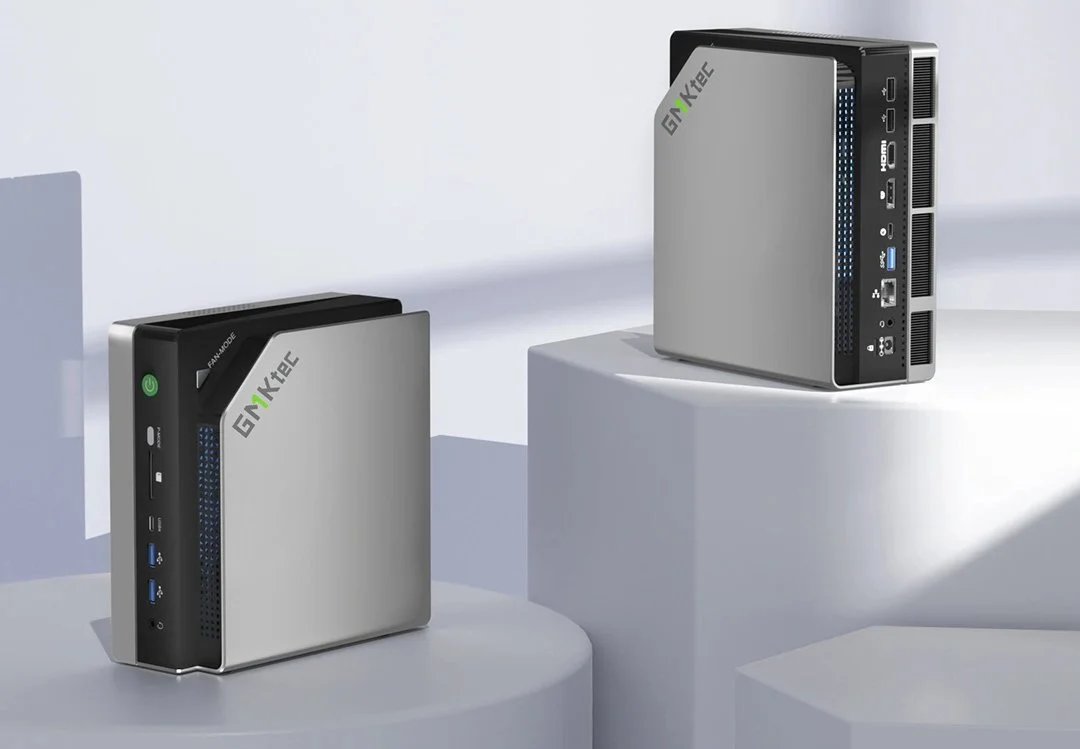
- CPU headroom for builds and tests. A chip like the Ryzen 5 7640HS in the GMKtec M6 Ultra or the 10-core Intel Core i5-14450HX in the KAMRUI Hyper H2 chews through compiles and test runs while Claude Code orchestrates the changes.
- Fast NVMe + enough RAM. 16–32 GB of DDR5 and a PCIe 4.0 SSD keep large repos, containers, and language servers responsive. That’s standard on today’s mini PCs.
- Silent, tiny, always-on. A near-silent ~54 W box on your desk (or VESA-mounted behind a monitor) is an ideal always-on dev workstation you can SSH into from anywhere.
- Low cost of entry. You can put together a very capable Claude Code workstation for under $600. See our value picks like the GMKtec M8 and the sub-$300 GEEKOM A5 2025 Edition.
Claude Code vs a local LLM on a Strix Halo box
It’s a fair question, since this site reviews a lot of 128 GB “AI mini PCs”:
- Local LLM (e.g. on a Strix Halo box like the GMKtec EVO-X3 or the NVIDIA DGX Spark): fully offline, private, no per-token cost, and great for tinkering. But memory bandwidth caps token speed, and open models still trail the frontier on hard, multi-file coding tasks.
- Claude Code: frontier-level reasoning and code quality, no expensive hardware, works on any mini PC, but it needs internet and a Claude plan.
For most developers who just want the best coding agent with the least fuss, Claude Code on an inexpensive mini PC wins. If privacy or fully offline use is non-negotiable, that’s when the big-memory AI boxes earn their price. Related: what “AI mini PC” actually means for local LLMs and how Ryzen 8845HS mini PCs run 7B to 13B models.
How to get started
- Install a Linux distro or use Windows with WSL2 on your mini PC (macOS works too if you’re on a Mac mini).
- Install Node.js, then the Claude Code CLI, and sign in with your Claude account.
cdinto a project and start describing what you want changed. Claude Code reads your codebase, edits files, runs tests, and explains its work.
That’s it. The mini PC handles your local tooling; Claude does the thinking.
Is a mini PC powerful enough for Claude Code?
Yes. Because inference runs in the cloud, even an entry-level mini PC with a modern CPU, 16 GB of RAM, and an NVMe SSD runs Claude Code comfortably. Spend more on your box only if your builds, containers, and test suites need it, not for the AI itself.
Which mini PC should I pair with Claude Code?
Any of the machines in our reviews will do. For a balanced pick, the GMKtec M6 Ultra is our top-rated value box; for more cores, the KAMRUI Hyper H2; on a tight budget, the GEEKOM A5 2025. Related: the best mini PCs under $500.
Try Claude Code
If you want to try it, you can get started with Claude using my invite link:
Pair it with any of the mini PCs we’ve reviewed and you’ve got a compact, quiet, frontier-AI development workstation for a fraction of the cost of a dedicated AI machine.