
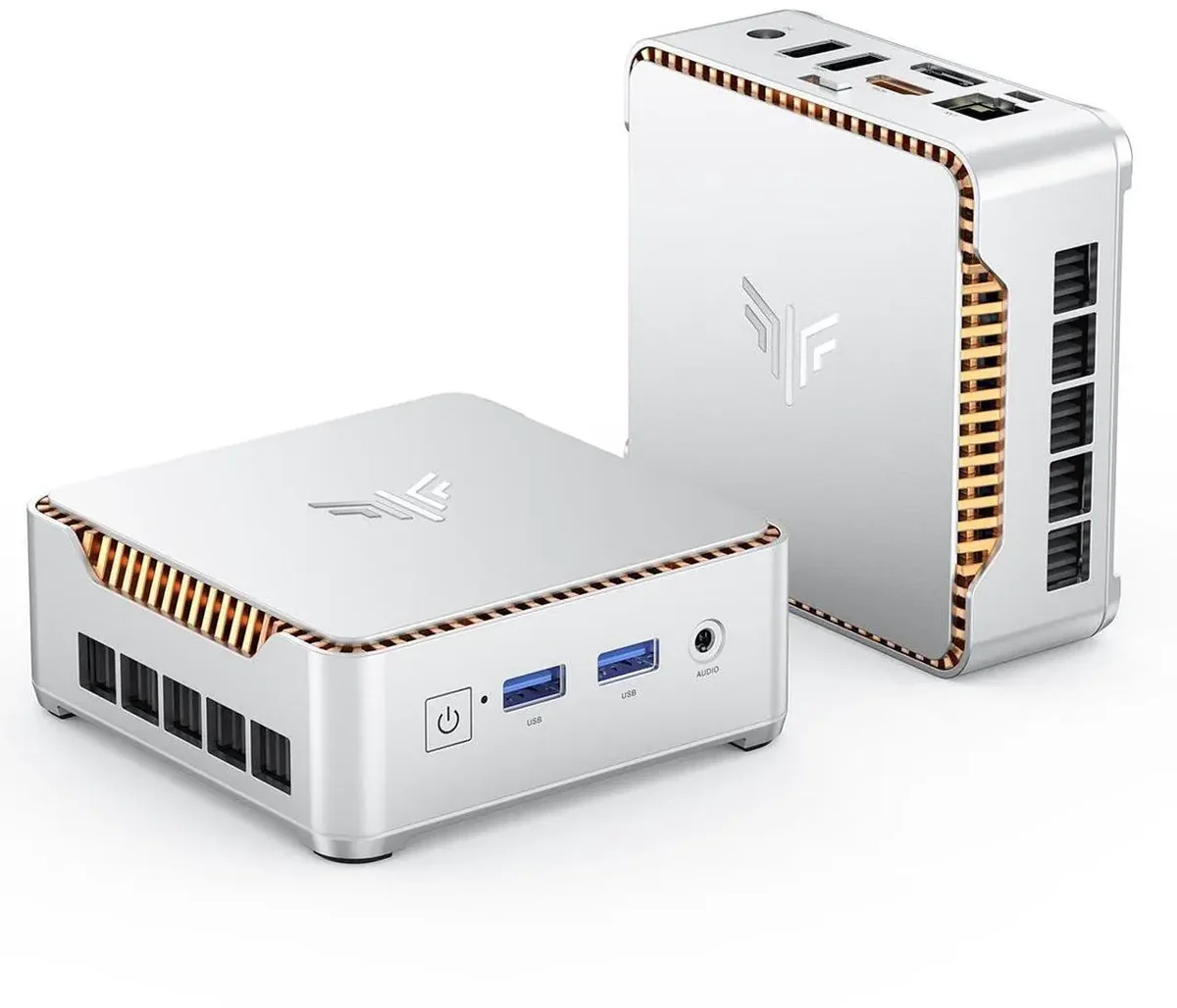
What is the KAMRUI Hyper H2?
The KAMRUI Hyper H2 is a budget mini PC built around a chip you don’t usually find at this price: the Intel Core i5-14450HX, a 10-core, 16-thread Raptor Lake HX processor that boosts to 4.8 GHz. HX-series silicon is Intel’s desktop-class die repackaged for high-performance laptops, which makes the Hyper H2 one of the rare sub-$500 mini PCs with genuinely desktop-grade multi-core performance. The 32 GB / 1 TB configuration listed around $599 for most of the spring, then became one of the headline mini-PC deals of early Prime Day 2026, dropping into the $400–$459 range.
There is one honest caveat up front, and it shapes this whole review: the CPU is paired with basic Intel UHD graphics. This is a CPU-first machine, and it should be bought as one.
What it’s good for
Office and home productivity. This is the Hyper H2’s home turf. MiniPC-Review’s testing put the 32 GB unit at roughly 12,000–13,500 points in Cinebench R23 multi-core, territory that used to belong to an i7-12700H, and 6,000+ in PCMark 10. Heavy browser sessions, Office, video calls, and background sync don’t come close to saturating ten cores and 32 GB of RAM.
Multi-monitor workstations. Triple 4K@60Hz output over HDMI 2.0, DisplayPort 1.4b, and USB-C makes it a natural fit for traders, dispatchers, and anyone who works across three screens.
CPU-bound creator work. Code compilation, batch photo exports, audio production, and CPU-encoded video renders all benefit from the 10-core chip. What it can’t do is GPU-accelerated work. More on that below.
If your workload leans lighter and you’d rather have a stronger iGPU than raw core count, the Ryzen-based GEEKOM A5 we reviewed this week is the more balanced pick; if you want a step up in graphics and connectivity, look at the GMKtec M8.
Build and connectivity
The chassis is a compact 128 × 128 × 44 mm square in silver, with a VESA mount in the box for hiding it behind a monitor. Cooling is better than the price suggests: MiniPC-Review measured 75–85 °C under maximum sustained load with no throttling, near-silent idle (~22 dB), and a 38–42 dB fan at full tilt: audible, but unobtrusive. Power draw is frugal at idle (single-digit watts) and peaks at 85–94 W under full load on the included 120 W adapter.
Ports are generous for the class:
- 1 × USB-C 10 Gbps with DisplayPort 1.4 Alt Mode
- 2 × USB-A 10 Gbps, 4 × USB-A 5 Gbps
- HDMI 2.0 + DisplayPort 1.4b
- Gigabit Ethernet, Wi-Fi 6, Bluetooth 5.2
- 3.5 mm combo jack
Note the Ethernet: it’s Gigabit, not 2.5 GbE. Some deal writeups have muddled this; both the Newegg spec sheet and independent testing confirm a standard 10/100/1000 port.
Memory, storage, and upgrades
The headline configuration ships with 32 GB of DDR4-3200 across two SODIMM slots (upgradable to 64 GB) and a 1 TB PCIe 4.0 NVMe SSD in an M.2 2280 slot, with total storage expandable to 4 TB. The SSD is a genuine PCIe 4.0 part (CrystalDiskMark reads land above 5,000 MB/s), not the DRAM-less PCIe 3.0 filler common at this price.
DDR4 rather than DDR5 is a real but tolerable compromise: it costs some bandwidth, and it keeps upgrade RAM cheap.
Pricing and where to buy
KAMRUI doesn’t run a major direct storefront in the US; it sells primarily through Amazon and Newegg. As of early July 2026, the 32 GB / 1 TB unit lists at $599 with Prime Day pricing between $400 and $459. PCWorld called it “one of the best home office PCs you’ll find in the budget-tier range” at that price, and TechRadar and Gizmodo ran similar deal coverage. A 16 GB / 512 GB variant sits meaningfully cheaper, but the $60–$100 gap to the 32 GB / 1 TB model is worth paying.
Buying through Amazon or Newegg is also the practical warranty channel here. See the flags below.
What we’d flag about the KAMRUI Hyper H2
- The integrated GPU is weak, full stop. Intel UHD with 16 execution units is a display adapter, not a gaming or 3D chip. Esports titles at low settings are the ceiling; modern AAA gaming and GPU-heavy Premiere/Resolve work are out of scope.
- Gigabit-only Ethernet. By 2026, 2.5 GbE is common even on budget mini PCs; its absence stings for home-lab and NAS-adjacent buyers.
- SKU confusion. KAMRUI has sold older “Hyper H2” units with a Ryzen 7 or i9-11900H inside. Confirm the listing says i5-14450HX before checkout: the configuration reviewed here is ASIN B0FXWDD1ND.
- Thin after-sales support. KAMRUI’s direct support has a mixed reputation; buying through Amazon’s return window is your real safety net.
Is the KAMRUI Hyper H2 good for gaming?
No, and it isn’t trying to be. The i5-14450HX has the CPU muscle of a gaming desktop, but Intel UHD graphics can’t feed it. If gaming matters, spend more on a Radeon 780M/890M-class machine such as the Beelink SER8 or pair a mini PC with an eGPU instead.
Is 32 GB of RAM worth it over the 16 GB model?
Yes. The 32 GB / 1 TB configuration is the one that turns this into a five-year machine, and during Prime Day pricing it has repeatedly cost less than lower-spec models did at list.
Verdict
The KAMRUI Hyper H2 is the best kind of budget machine: one that concentrates its budget where it counts. Ten desktop-class cores, 32 GB of RAM, a real PCIe 4.0 SSD, triple 4K output, and controlled thermals for $400–$459 is a combination nothing else in the price band matches right now. You give up GPU performance, 2.5 GbE, and brand-name support polish, trade-offs that are easy to accept if your work lives in browsers, spreadsheets, code, and video calls rather than game engines.
For a multi-monitor home office or a CPU-hungry productivity desk, the Hyper H2 at its Prime Day price is an easy recommendation. Related: our roundup of the best mini PCs under $500.