
What it is
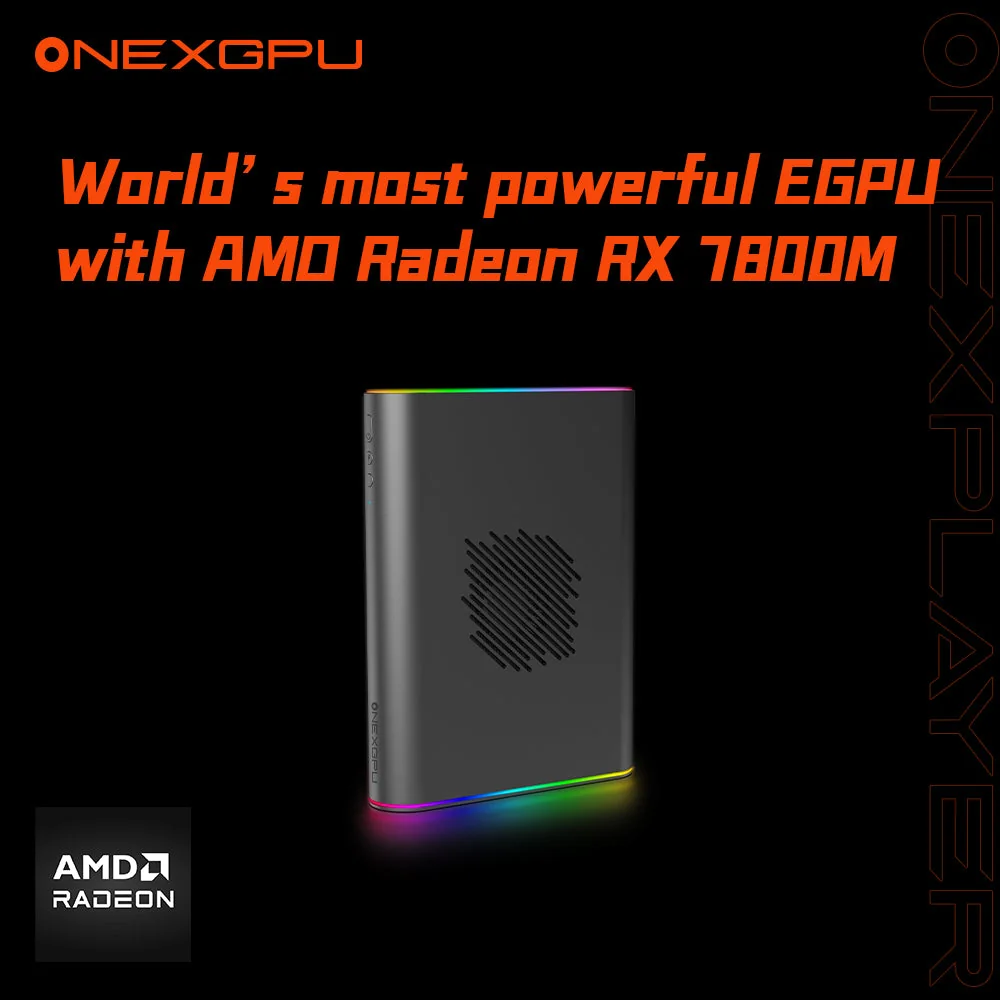
The ONEXPLAYER ONEXGPU 2 is an all-in-one external graphics dock built around an integrated AMD Radeon RX 7800M with 12 GB of GDDR6, an RDNA 3 mobile GPU soldered onto the dock’s own board. That single design choice sets it apart from almost every other OCuLink eGPU on the market. There is no card to buy, no PCIe slot to populate, no separate ATX power supply to source. You connect one cable, install a driver, and a mini PC or handheld suddenly has desktop-class graphics.
For buyers who want the performance of an external GPU without the parts-list project that a Beelink EX docking station or a bare ADT-Link adapter turns into, the ONEXGPU 2 is the most polished (and most expensive) answer in this category as of mid-2026.
Interface & bandwidth: OCuLink vs USB4
The ONEXGPU 2 connects two ways, and the difference between them is the single most important thing to understand before buying.
- OCuLink (SFF-8612) carries PCIe 4.0 ×4, roughly 63 Gbps. This is the fast path, and it is what unlocks the dock’s 180W “Turbo” mode, where the RX 7800M is allowed to stretch its legs.
- USB4 / Thunderbolt 3–4 is the convenient path. It works with almost any modern laptop, but its usable PCIe tunnel is meaningfully narrower than OCuLink, and it becomes the bottleneck long before the GPU does.
In HotHardware’s testing, the gap is real and measurable: over OCuLink in peak mode, Borderlands 3 ran roughly 73% faster and Shadow of the Tomb Raider about 37% faster than the same dock constrained to USB4. The takeaway is simple: if your host has an OCuLink port, use it. USB4 is a fallback for laptops that physically can’t do better, not the way you’d want to run a $799 dock day to day.
OCuLink vs USB4: how much speed do you lose?
Even OCuLink’s PCIe 4.0 ×4 is a quarter of the lanes a desktop card gets in a full ×16 slot. For a single mobile-class GPU like the 7800M the loss is modest (single-digit to low-double-digit percentages in most titles) because the 7800M never saturates a ×16 link anyway. USB4 is the configuration where you genuinely leave performance on the table.
What GPUs and hosts does the ONEXGPU 2 support?
This is the part that flips the usual eGPU buying question on its head. Because the GPU is integrated, there is no “will my card fit / will it draw too much power” calculation. The compatibility question is entirely about the host.
Best experience: OCuLink mini PCs. Any mini PC that exposes an OCuLink SFF-8612 port is the ideal partner: machines like the Minisforum UM-series, several GMKtec boxes, and the Geekom GT1 expose OCuLink directly. If you’re pairing this with a GMKtec system, our GMKtec K8 Plus review and GMKtec EVO-X1 review cover hosts in that ecosystem.
Handhelds. The ASUS ROG Ally and Lenovo Legion Go expose OCuLink (sometimes via an adapter), making the ONEXGPU 2 a docked-mode “console” upgrade.
USB4 / Thunderbolt laptops. Any USB4 or TB3/TB4 laptop will run it, just with the bandwidth caveat above.
One honest limitation: because the GPU is fixed at the RX 7800M, this is not a dock you grow with. You cannot drop in a future RTX 5080 the way you could with a generic OCuLink enclosure. You are buying this specific GPU, at this specific performance tier, permanently. Related: our GPD G1 review and AOOSTAR AG02 OCuLink dock review.
Build, power, and cooling
The chassis is aerospace-grade CNC aluminum (high-pressure die-cast, sandblasted, and anodized), and it feels the part. At 229 × 175 × 43 mm and roughly 1,590 g (dock only; about 2.3 kg with the charger), it’s genuinely portable in a backpack, which is the entire pitch versus a tower.
Power is fully self-contained: a 330W GaN charger feeds the GPU and can reverse-charge the connected host at up to 65W, so a thin laptop or handheld can run and charge off the single connection. No bring-your-own ATX or SFX supply, no exposed 12V pins: a real advantage over open-frame OCuLink docks.
Cooling is a single blower spinning up to ~3,600 RPM. ONEXPLAYER rates it at roughly 20.75 CFM and 46.6–53.2 dB under load: audible, as any eGPU is, but not shrill. Display output is generous for an eGPU: HDMI 2.1 plus dual DisplayPort 2.0, driving up to three external screens directly off the dock, which keeps the host’s own ports free.
Memory, storage, and upgrades
The 12 GB of GDDR6 is fixed to the GPU. The one expansion path is an optional M.2 2280 PCIe 3.0 NVMe slot on the data-equipped variant (sold at a higher price, often with a 2 TB drive pre-installed), behind a magnetic cover. It’s handy as fast external storage that rides the same connection, but at PCIe 3.0 it’s not the fastest NVMe slot you’ll ever use. Treat it as a convenience, not a headline feature.
Pricing and where to buy
The ONEXGPU 2 typically sells for $799–$899, with the 2 TB-NVMe data variant landing higher (ONEXPLAYER’s own store has listed it around $960). On Amazon it appears under several listings. The main one is ASIN B0DN66VW7L, with additional live SKUs for color/config/storage variants.
That is a lot of money for an eGPU, and it’s fair to name why: you are paying for an integrated 7800M, a 330W GaN supply, and a finished aluminum enclosure, all in one box. Compared with buying a generic OCuLink dock plus a discrete GPU plus a PSU, the all-in-one math is closer than the sticker suggests, but it’s still a premium product.
What we’d flag
- USB4 is a real bottleneck. If your host lacks OCuLink, you lose a large chunk of the GPU’s potential. Buy this for an OCuLink host, not a USB4-only one.
- The GPU is non-upgradable. Permanent RX 7800M. No future card swap. That’s the trade for the all-in-one convenience.
- Hot-plug is not seamless. As with most OCuLink setups, plugging in or removing the dock is best done at boot/shutdown rather than live; OCuLink has no native hot-plug guarantee.
- Price. At $799+ it costs as much as some entire gaming mini PCs. The convenience is real, but so is the premium.
- Fan noise under load reaches the low-50s dB, fine beside a desk, noticeable in a quiet room.
ONEXPLAYER ONEXGPU 2 verdict
The ONEXPLAYER ONEXGPU 2 is the most refined OCuLink eGPU you can buy right now, and the integrated Radeon RX 7800M 12GB makes it genuinely plug-and-play in a way no card-plus-enclosure setup matches. Over OCuLink in 180W Turbo mode it transforms a modest mini PC or handheld into a credible 1080p/1440p gaming machine, and the triple-display output and self-contained 330W supply make it a clean single-cable desktop dock for creators too.
The caveats are honest and they’re about fit, not quality: drive it over OCuLink, accept that the 7800M is forever, and make peace with the price. If you have an OCuLink-equipped host (a Minisforum or GMKtec mini PC, a ROG Ally, a Legion Go) and you want desktop-class graphics without building anything, the ONEXGPU 2 is the one to put at the top of the short list. If your only port is USB4, or you’d rather pick your own GPU and grow with it, a generic OCuLink enclosure will serve you better for less.