
What it is
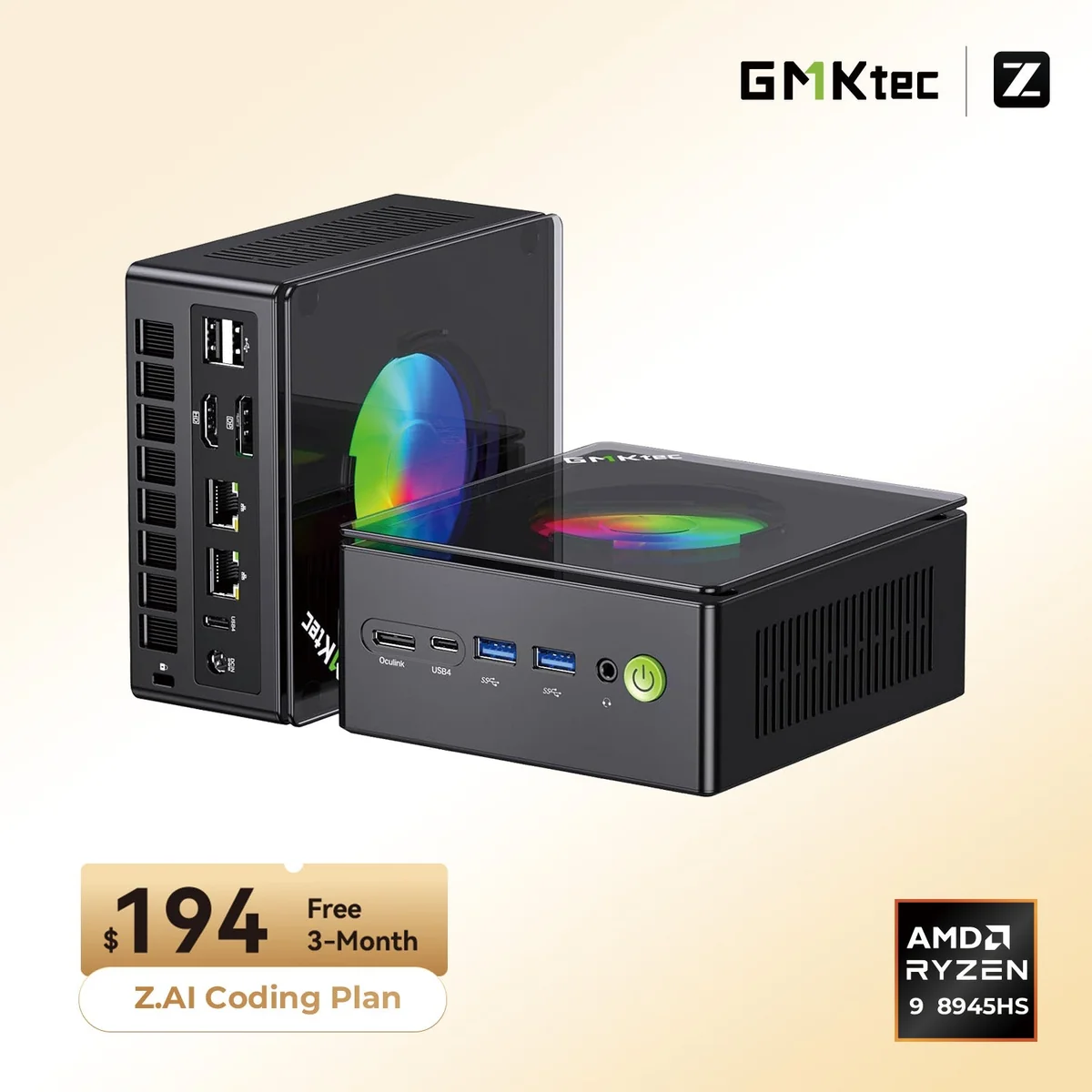
The GMKtec NucBox K11 is a roughly 1-liter mini PC built around AMD’s Ryzen 9 8945HS (an 8-core, 16-thread Zen 4 chip that boosts to 5.2 GHz), paired with the Radeon 780M (RDNA 3) integrated GPU. On the surface that puts it in the same bracket as a dozen other 8945HS mini PCs released through 2025 and 2026. What sets the GMKtec K11 apart is the back panel: two USB4 ports and a dedicated OCuLink connector, which turns this little box into one of the most connectivity-rich and eGPU-ready mini PCs you can buy at its price.
At ~$430–$740 depending on memory and storage (typically around $599 for a 32 GB / 1 TB configuration), the K11 is positioned as a do-everything desktop replacement that can grow with you. Related: compare it with the GMKtec NucBox K8 Plus and the Beelink SER8.
What it’s good for
Home and office. The Ryzen 9 8945HS handles a full productivity load (dozens of browser tabs, Office, video calls, and a couple of background apps) without breaking a sweat. With DDR5-5600 across two SO-DIMM slots and dual 2.5 GbE, the K11 is a credible primary desktop that disappears behind a monitor.
1080p gaming. The Radeon 780M is a known quantity. Most modern AAA titles run at 1080p Low–Medium in the 45–75 fps range, and esports games (CS2, Valorant, Dota 2, Rocket League) sit comfortably above 100 fps. It is not a 4K gaming machine on its own, but see the next point.
An eGPU host. This is the K11’s headline trick. The OCuLink port (PCIe 4.0 ×4, ~63 Gbps) and dual USB4 ports mean you can bolt on an external graphics dock and run a desktop RTX card. That makes the K11 a natural pairing for the OCuLink docks in this same batch: the AOOSTAR AG02 OCuLink eGPU dock and the GMKtec AD-GP1 OCuLink dock. Few mini PCs at this price expose a true OCuLink port, and it elevates the K11 from “decent iGPU box” to “small machine that can become a real gaming rig.”
Home theater (HTPC). HDMI 2.1 and DisplayPort 2.1, low idle power, and a small footprint make it a tidy living-room media box. The 780M decodes everything you’ll throw at it, including 4K HDR streams.
Build and connectivity
The K11 measures 132 × 125 × 58 mm and weighs around 624 g. The chassis is taller than ultra-slim mini PCs because GMKtec prioritized cooling and expansion over thinness, a reasonable trade for an 8945HS.
The port selection is the real story:
- 2× USB4 (40 Gbps, DisplayPort 1.4, Power Delivery): eGPU, Thunderbolt-class docks, 8K displays
- 1× OCuLink (PCIe Gen 4 ×4) for direct eGPU connection (note: no hot-plugging)
- HDMI 2.1 and DisplayPort 2.1
- 2× 2.5 GbE (Intel i226-V): useful for a home lab, NAS link, or router VM
- 2× USB 3.2 Gen 2 (Type-A) + 2× USB 2.0
- Wi-Fi 6 (Intel AX200) and Bluetooth 5.2
Between OCuLink, dual USB4, dual 2.5 GbE, and two video outputs, the K11 has a more serious back panel than most mini PCs twice its price.
Memory, storage, and upgrades
Out of the box, configurations range from 16 GB to 32 GB of DDR5-5600 and 512 GB to 1 TB of NVMe storage. Crucially, everything is upgradeable:
- Two SO-DIMM slots, officially supporting up to 96 GB of DDR5
- Two M.2 2280 PCIe 4.0 NVMe slots, supporting up to 8 TB total
The dual NVMe slots are a meaningful differentiator. You can run a boot drive plus a large data/games drive, or set up a software RAID. Combined with socketed RAM, this is the opposite of the soldered-everything AI mini PCs in the same price band. If you intend to keep the machine for years, that upgrade headroom is worth real money.
Pricing and where to buy
Pricing on the GMKtec K11 spans roughly $430 to $740 depending on the configuration. The barebones and low-RAM SKUs sit near the bottom, while a fully loaded 32 GB / 1 TB unit typically lands around $599. On Amazon, the 32 GB / 512 GB configuration is the common listing, with 1 TB variants also available.
For most US buyers, the Amazon listing is the practical default: faster shipping, a 30-day return window, and the same warranty as GMKtec’s own store.
What we’d flag
This is a positive review, but a fair one. The K11 has genuine compromises:
- OCuLink has no hot-plug. You must connect the eGPU before boot. Plan your setup; don’t expect to dock and undock on the fly.
- Wi-Fi 6, not 6E. The Intel AX200 module is reliable but a generation behind the Wi-Fi 6E/7 radios appearing in newer competitors. Wired dual 2.5 GbE mitigates this for desktop use.
- Fan noise under sustained load. Like every 8945HS mini PC, the K11’s blower is audible when the chip is pinned at full boost. It’s quiet at idle and during light work.
- Thermals on a 45–54 W chip in a small box plateau in the high 80s °C under stress. The K11 throttles gracefully rather than crashing, but it is not a silent machine when pushed.
None of this is disqualifying. It’s the cost of fitting this much capability into a 1-liter chassis.
Is the GMKtec K11 good for gaming?
On its integrated Radeon 780M, yes for 1080p and esports, no for 4K or demanding AAA at high settings. The more interesting answer is that the K11’s OCuLink port lets you sidestep the iGPU ceiling entirely: attach an external dock with a desktop GPU and the 8945HS feeds a card capable of real 1440p/4K gaming. That dual-personality (capable iGPU now, eGPU upgrade path later) is exactly why the K11 stands out.
OCuLink vs USB4: which should you use for an eGPU?
OCuLink and USB4 both expose roughly PCIe 4.0 ×4 of bandwidth (~63 Gbps), so raw throughput is similar. OCuLink tends to deliver slightly lower latency and more consistent framerates because it’s a direct PCIe link with less protocol overhead, but it lacks hot-plug and carries no power or display signal of its own. USB4 is more flexible (hot-pluggable, carries DisplayPort and power) but adds a thin tunneling layer. For a fixed gaming setup, OCuLink is the marginally better pick; for a dock you connect and disconnect often, USB4 wins on convenience. The K11 is one of the few mini PCs that lets you choose. Related: our guide to the best eGPU adapters for mini PCs.
GMKtec NucBox K11 verdict
The GMKtec NucBox K11 is one of the most sensibly equipped mini PCs of the Ryzen 9 8945HS generation. The CPU and 780M are the same proven combination you’ll find across the category, but GMKtec layered on a back panel that almost nobody else matches at this price: dual USB4, a true OCuLink port, dual 2.5 GbE, two video outputs, two SO-DIMM slots, and two NVMe bays.
If you want a small, upgradeable desktop that handles home, office, HTPC, and 1080p gaming today, and can grow into a genuine gaming rig via an eGPU tomorrow, the K11 belongs at the top of your short list. Pair it with an OCuLink eGPU dock and it punches far above its footprint.