
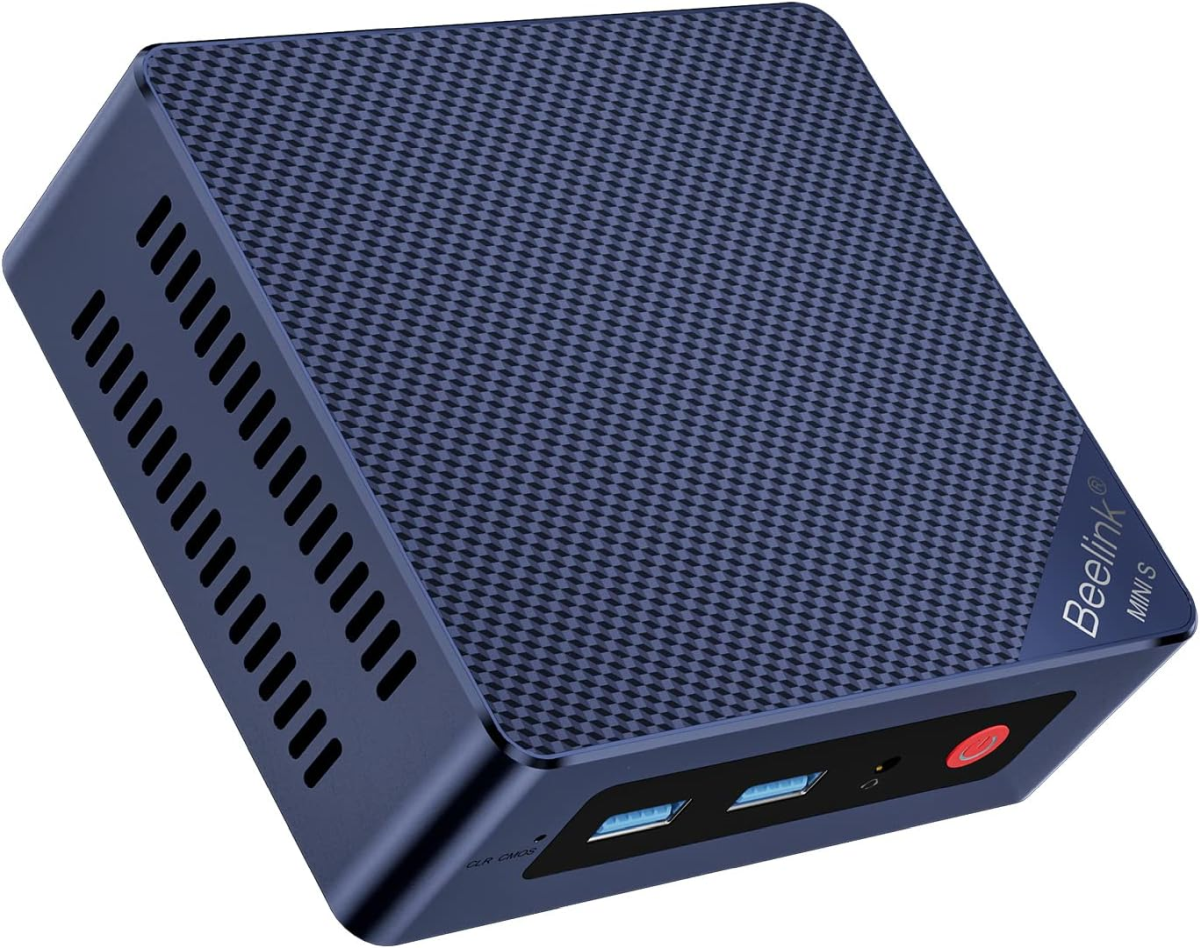
What it is
The Mini S13 is Beelink’s entry-level desktop: a 0.55-liter plastic box built around Intel’s N150, the “Twin Lake” refresh of the N100. It is a 4-core, 4-thread chip with a 6 W base TDP that boosts to 25 W under load, and it sits at the floor of Intel’s 2025 desktop CPU stack. There is no NPU. There is no discrete graphics. There is no USB4. The unit costs $219 on Amazon with 16 GB and a 500 GB NVMe SSD.
What the Mini S13 has (and the reason it has stayed on top of the budget mini-PC charts since launch) is that everything that is on the spec sheet works. Two M.2 2280 slots in a chassis this small is unusual. Wi-Fi 6 in a $219 PC is unusual. Dual 4K HDMI is genuinely useful. The unit doesn’t fail at the cheap parts.
What it’s good for
Light office work and home productivity. The N150 handles a dozen browser tabs, an Office suite, video calls, and Spotify in the background without struggling. It is not fast. It is adequate, and at $219 with 16 GB and a real NVMe drive, that’s a meaningful baseline.
HTPC. This is where the N150 actually shines. Hardware-accelerated decode for H.264, HEVC, AV1, and VP9 means 4K HDR streaming on Plex, Jellyfin, YouTube, Netflix, and Disney+ runs cleanly at the iGPU’s full capability. Dual HDMI 2.0 ports drive two 4K @ 60 Hz displays simultaneously. The unit is small enough to disappear behind a TV and quiet enough that you forget it’s there.
Thin client and home lab utility node. Two M.2 slots at this price make the S13 unusually flexible. Dropping in a second NVMe gives you a Proxmox node, a Pi-hole + Unbound box, a Home Assistant host, or a small Plex server. Power consumption sits at 6–8 W idle and 20–25 W under sustained load.
Light NAS. Two M.2 slots, Gigabit Ethernet, and Linux support out of the box. It is not a six-bay NAS. It is a perfectly capable two-drive media server. Related: for more drive slots, see our Beelink ME Mini review.
This is not a creator machine, not a gaming machine, and not an AI machine. The N150 is roughly half the multi-core performance of a Ryzen 5 5500U laptop chip from 2021. If you need real CPU performance, the EQR6 or SER8 is the floor.
Build and connectivity
The chassis is plastic, 124 × 113 × 39 mm, around 310 g. The fan is small and audible only under sustained load. Most reviewers describe it as quieter than a quiet laptop fan during normal use. The build is plainly entry-level. There is no Mac-mini-grade aluminum here. What there is, is a chassis that doesn’t squeak, doesn’t flex, and doesn’t visibly cut corners that matter.
Ports:
- USB-A 3.2 Gen 2 (10 Gbps) ×2
- USB-A 2.0 ×2
- HDMI 2.0 ×2, dual 4K @ 60 Hz
- 1 GbE Ethernet (some retail variants ship 2.5 GbE; check the listing)
- 3.5 mm combo jack
- DC-in (external 19 V brick)
Wi-Fi 6 (802.11ax) on a Realtek module, Bluetooth 5.2. The Wi-Fi performance is adequate; the budget Realtek module is a noticeable downgrade from the Mediatek RZ616 used in higher-tier Beelink units, but it holds its connection.
Memory, storage, and upgrades
The unit ships with 16 GB DDR4-3200 in a single SODIMM slot. There is only one SODIMM slot: the platform is single-channel only, and 16 GB is the practical ceiling. This is the structural limit of the N150 SoC, not a Beelink choice. If you need 32 GB of RAM, this is not the chassis.
Storage is the bright spot. Two M.2 2280 slots, both bootable, both PCIe 3.0. The bottom panel pops off with four screws and a slim plastic tab. The shipping 500 GB NVMe is a generic OEM drive: adequate, replaceable.
Pricing and where to buy
Configurations vary. The 16 GB / 500 GB configuration sits at $219 on Amazon and roughly the same direct from Beelink, with periodic discounts that drop it under $200. The 16 GB / 1 TB variant runs around $259. There is also a 12 GB LPDDR5 / 512 GB SSD configuration occasionally listed at $199. That one solders the RAM down, which is a meaningful downgrade in a unit you’d otherwise expect to keep for years.
Warranty is one year through both retail paths.
What we’d flag
- Single-channel RAM, 16 GB ceiling. Hardware limit of the N150 platform. Plan around it.
- N150 is slow. It is fine for everything we listed in “What it’s good for” and it will fail at anything outside that list. Light Photoshop is technically possible. It is not pleasant.
- The fan profile is conservative. Under sustained load the fan ramps. Most users will never notice; most users won’t sustain load. If you do (long video transcodes, Plex transcoding to a phone), you’ll hear it.
- Realtek Wi-Fi 6 module is a noticeable step below the Mediatek RZ616 in higher-tier Beelinks. Connection holds, throughput is adequate, but it’s not the strongest 6 GHz radio.
- One-year warranty. Standard for the segment.
- Listing variability. Beelink’s Mini S13 lineup includes “Mini S13” and “Mini S13 Pro” SKUs with different RAM types (DDR4 vs LPDDR5), different LAN speeds (1 GbE vs 2.5 GbE), and slightly different storage. Read the specific Amazon listing carefully: they are not all the same machine.
Beelink Mini S13 Verdict
The Mini S13 is the best $219 you can spend on a desktop computer in 2026. That is a narrow claim and a meaningful one. It will not replace a real workstation. It will quietly handle HTPC duty, a parent’s email-and-browser desktop, a basement Plex node, a thin client into a remote workstation, or a low-power Linux home server, any of which would otherwise cost more in parts.
Buy it for what it is, not for what a $649 SER8 would do. On those terms, the Mini S13 is one of the best-value mini PCs Beelink has ever shipped.